
The finding to use
Check the exported work before you give up the access that created it.
Sources checked 19 November 2026. Follow the reasoning, then use the worksheet for your own situation.
01 / Tomorrow Matters
Define what keeping your work means
Imagine leaving a project app with a ZIP file saved on your laptop. The notes open, but a key attachment leads back to the old workspace. You have a download, yet the work you need still has a dependency. This is a fictional example, not a result from testing a service.
Start with the work you want to keep doing.
Reading a finished report, editing a table and continuing a shared project are different needs. Write down which matters to you before choosing an export format. A copy that meets one need may leave another untested.
This guide is about practical access and reuse. It does not decide legal ownership, contractual rights or who is entitled to export workplace material. Use only content and destinations you are permitted to use.
02 / Tomorrow Matters
Inventory the important pieces before exporting
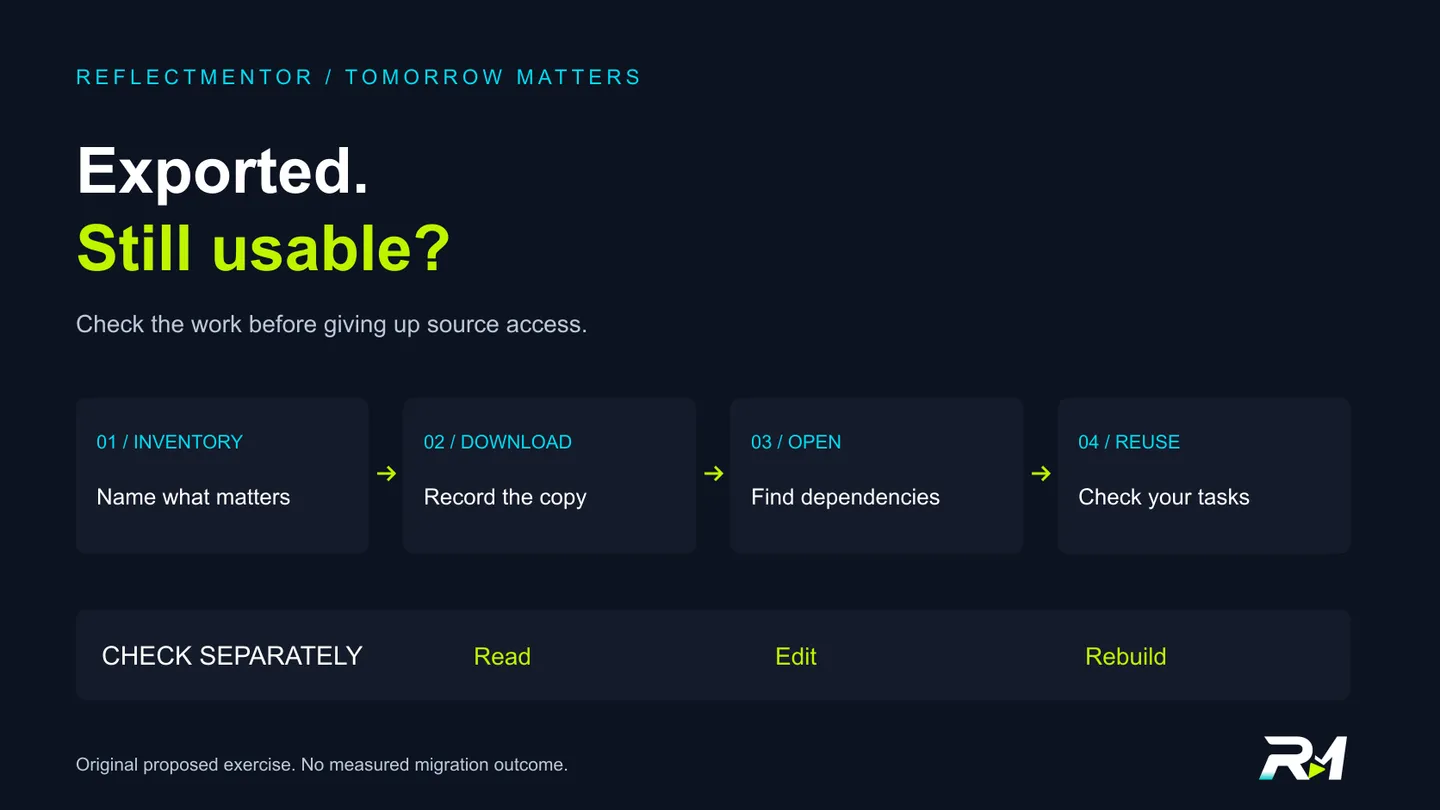
List the pages, files, attachments and other elements your next task depends on. Include a way to recognize each item: a title, a known sentence, a file name or a small record count. The inventory gives you something to compare with the archive.
For a hypothetical project, that might be the brief, a task table and two reference attachments. Add a note about any discussion or sharing information you need to preserve. These are proposed checks, not a statement that every app exports those elements.
Notion's current export documentation says pages the exporter cannot access are not included, and that teamspace settings can also affect exports. [1] The example illustrates why the word workspace is not enough to establish that a particular archive contains everything you expected.
Check the export scope, permissions and settings in the actual service's documentation. Keep a dated record. Do not assume that another person's private page is part of your copy.
03 / Tomorrow Matters
Separate a downloaded file from an account link
Save the archive in a location whose access you understand. Record the export date, the source account and the options you selected. Use a label such as export requested or archive downloaded until you have inspected the contents.
Open a copy of the exported material in the intended viewer. Find an item from your inventory and follow its attachment or reference. Does it open a local file, a public destination or a page that still requires the old account? Record what actually happens.
Try this with a disposable sample first. If you want to check offline reading, make that a separate, clearly scoped check. Opening one page without a connection does not establish that every file, image or link is self-contained.
The useful outcome is a list of dependencies you can explain, not a folder that merely looks complete. We have not run an offline-access experiment for this guide.
04 / Tomorrow Matters
Check reuse as well as readability
A file can be readable while the workflow you relied on remains untested. Decide whether you need to edit the text, work with table rows or rebuild a project structure. Then check the destination tool's documented import support for the format you have.
Notion explicitly warns that reuploading an exported workspace does not instantly recreate that workspace. [1] Treat that as a limit on this particular restoration path, not a claim that its exports have no value or that all services behave identically.
For your own sample, write a small acceptance check before importing: find the brief, edit a copied row and open the required attachments. Use an authorized destination with non-sensitive sample content. Record manual work or missing features rather than quietly treating them as preserved.
Keep reading, editing and rebuilding in separate worksheet rows.
If the destination documentation does not cover a feature you need, mark it not established. A successful upload alone is not the acceptance check you defined.
05 / Tomorrow Matters
Review the original account separately
An export does not establish what happened to the original cloud copy. Google's Takeout guidance states that downloading Google data does not delete it from Google's servers. [2] The archive and the original account are separate things to review.
The same guidance warns that if your archive is in Google Drive and you plan to delete the Google Account, you must move it to another storage location first. [2] Our practical lesson is to check whether the place holding your copy depends on the account you intend to stop using.
Keep storage location, account access and sharing as distinct questions. Read the relevant service's current documentation before changing access or closing anything. This article does not give a universal deletion procedure or promise that an export removes other copies.
For a team, agree who maintains the archive and how permitted colleagues will obtain access. A file in one person's folder is not evidence that the next person can use it. We have not inspected any real team's access settings.
06 / Tomorrow Matters
Keep an exit record you can hand over
Use three outcomes for each requirement: checked and usable, a known gap, or not checked. Record the source version, export settings, file location, intended viewer and any import attempt. Keep unknowns visible.
A small test project is a proposed rehearsal, not proof that a much larger archive is complete. Before relying on an actual export, inspect the important material against its own inventory and preserve access while unresolved requirements are investigated.
No migration, account closure, recovery success or time saving was measured here. The worksheet is a record of what you check, not a guarantee that a provider or file format will preserve every feature.
Before leaving an app, ask which part of your work you can open, use and explain without depending on a login you are about to lose.
App-exit and exported-work worksheet
| Requirement | Evidence to record | Outcome / remaining dependency |
|---|---|---|
| Permitted scope | Material you are allowed to export, expected items and export settings | Checked scope / known exclusion / not established |
| Archive identity | Source service, account, date, selected format and saved location | Downloaded is not yet inspected |
| Readable files | Intended viewer and representative items opened | Checked and usable / gap / not checked |
| Attachments and links | Whether each important reference opens a file or needs an account | Record the actual dependency |
| Reuse or import | Required editing/project tasks, destination support and sample result | Do not infer full restoration from upload success |
| Original account | Separate storage, account-access and sharing questions | Export does not prove originals were removed |
| Handover | Maintainer, review date and unresolved requirements | Retain access while important gaps are unresolved |
Sources & revision note
Primary sources checked 2026-11-19. Practical frameworks are editorial guidance; illustrative examples are not measured results.
- Notion Help: Export your content — export scope, permissions and workspace recreation limits
- Google Account Help: How to download your Google data — original copies and archive storage
Revision 1 · 2026-11-19: First publication: app-exit inventory, original proposed export drill, portability worksheet and conceptual diagram.
Keep the useful part
Take the decision back to your work.
Check the exported work before you give up the access that created it.
This preference is private to this browser, not a public vote count.